


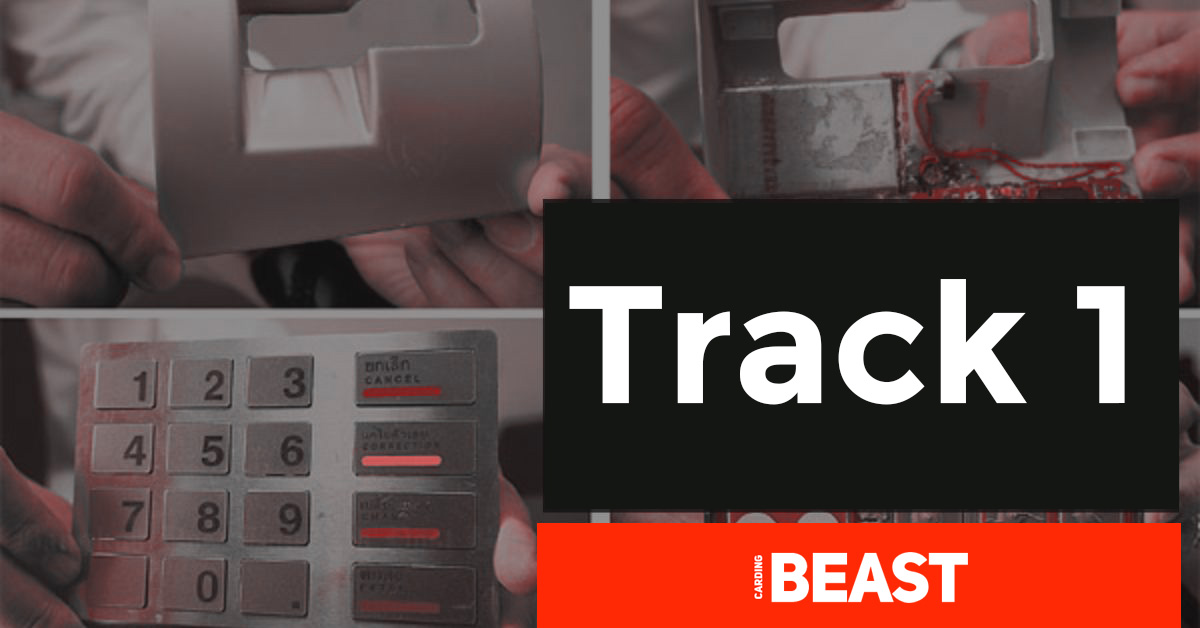
The Real Deal on Track 1
You already know the score. You’re not here for a history lesson on the magnetic stripe. You’re here for one thing: actionable intel on how to generate track 1 data that doesn’t get flagged out the gate. This ain’t for skiddies running shitty Python scripts they copied from a dead forum. This is for operators who understand that the magic isn’t in the generation—it’s in the construction.
Forget the surface-level crap. We’re diving into the syntax, the algorithms, and the raw data that makes a piece of plastic turn into a payday.
Deconstructing Track 1: The Raw Format
Track 1 is the king. It holds more data than Track 2, and that’s why high-tier vendors demand it. It’s the difference between a basic swipe and a full-blown profile. This is the ISO/7813 format. Memorize this shit.
READY TO ELEVATE YOUR GAME?
Tired of dead dumps and burned cash? It’s time to tap into the source. Getbanklogs.com delivers direct-sourced, high-limit logs with a 99% validity guarantee. Stop playing games and start making real moves.
>> CLICK HERE TO ACCESS THE VAULT <<
The Structure:
%B[PAN]^[LASTNAME]/[FIRSTNAME]^[YYMM][YYMM][XXX]?
-
%B: Start Sentinel. It tells the reader, “Hey, Track 1 data starts here.” -
[PAN]: Primary Account Number. The 16-digit (usually) card number. -
^: Separator. Divides the PAN from the name data. -
[LASTNAME]/[FIRSTNAME]: Cardholder Name. Format is NON-NEGOTIABLE. Last name, then a forward slash/, then first name. -
^: Another separator. Divides the name from the expiration date and other fun stuff. -
[YYMM]: Expiration Date. Two-digit year, two-digit month. -
[YYMM]: Service Code. This is where amateurs fuck up. We’ll break this down next. -
[XXX]: Discretionary Data. PIN Verification Value, Card Verification Value, etc. This is the secret sauce. -
?: End Sentinel. Signals the end of the data.
Looking for a Reliable Legit CC Vendors for CC, Bank logins and Instant Transfer Vendor? Then Click the Link Below

Visit: Getbanklogs.com Contact Us: Click Here Shop link: Click Here
The Service Code: Your Golden Ticket
This is the most critical part of learning how to generate track 1 data that actually works. The service code is a 3-digit number that tells the terminal everything about the card’s capabilities and limitations.
Getting this wrong is an instant decline. Getting it right is what separates you from the pack.
Service Code Breakdown (The Good Shit):
-
First Digit (Interchange):
-
1: International. Your golden goose. No limits. -
2: International (using IC chip). Good luck. -
5: National. Use within the issuing country. -
6: National (using IC chip). See above. -
7: Private. For closed-loop shit like store gift cards.
-
-
Second Digit (Authorization):
-
0: Normal. PIN required. -
2: Contact issuer. But for our purposes, often bypassed. -
4: No restrictions. The holy grail. You want this.
-

For instant Cashapp Transfer Deals Visit: Getbanklogs.com
-
Third Digit (Services):
-
0: No restrictions. Good for financial and goods. -
1: No goods. ATM only. -
2: No financial. Goods only. -
3: No cash. Goods only. -
4: Financial only. ATM only.
-
The Ultimate Combo: 101 or 201. International, no restrictions, good for everything. A close second is 120 for that sweet, sweet no-PIN-required swipe.
Read: How to Cashout CC, CVV or Fullz Online Shopping
The Luhn Algorithm: Non-Negotiable Math
You can’t generate track 1 data without passing the Luhn check. It’s a simple checksum formula every reader runs. Fail this, and your data is trash.
Step-by-Step Luhn Check Calculation:
-
Take your PAN (e.g., 4417 1234 5678 9112).
-
Starting from the right, double every second digit.
-
If doubling a digit results in a two-digit number, add those digits together (e.g., 8 * 2 = 16 -> 1 + 6 = 7).
-
Now, sum all the digits.
-
If the total sum modulo 10 is equal to 0, the number is valid.
Pro Tip: Don’t calculate this shit manually. Any script or tool worth its salt has a Luhn algorithm function built-in. Your BIN (Bank Identification Number) is the first 6 digits. The rest you generate, and then you append the correct check digit (the last digit) calculated by Luhn.

Get Unlimited Funding Via Western union Visit: Getbanklogs.com
Generating the Full Package: A Practical Example
Let’s build a live one. We’re targeting a US premium card.
-
BIN: We grab a known good BIN for a high-limit card.
474491(a Visa Platinum BIN). -
PAN: We generate the next 9 digits randomly:
123456789 -
Luhn Check Digit: We run
474491123456789through a Luhn calculator. It spits out a check digit of1. Our full, valid PAN is4744911234567891. -
Name:
SMITH/JOHN -
Expiration:
2512(Dec 2025) -
Service Code:
101(International, no restrictions) -
Discretionary Data: This is where you add your CVV or other custom data. For this example, we’ll use
123.
Our Final, Raw Track 1 Data:
%B4744911234567891^SMITH/JOHN^2512101123?
This is the string you encode onto the magnetic stripe. This is what you feed to your MSR writer, your arduino skimmer, or your software emulator.
Get Cloned Cards shipped to your door step from Getbanklogs.com shop
The Tools of the Trade
You need hardware and software that doesn’t suck.
-
MSR206: The industry standard magnetic stripe reader/writer. Reliable as fuck.
-
Arduino-based Skimmers: For the DIY hustlers building their own traps.
-
JCOP Manager / ACR122U: For when you need to play with smart cards and emulate the whole package.
-
Python
pymagnetlibs: For scripting your own generation tools. Don’t rely on web-based generators; that’s for clowns.
The Final Word:
Generating Track 1 is a science. It’s about precision. The BIN, the name format, the service code, the Luhn check—miss one detail, and you’re burning a good dump for no reason. This isn’t beginner shit. This is for the ones who understand that in this game, the difference between a slap on the wrist and a new Rolex is in the details. Now go handle your business.
For Zelle Transfer Users Visit: Getbanklogs.com







Leave a comment